
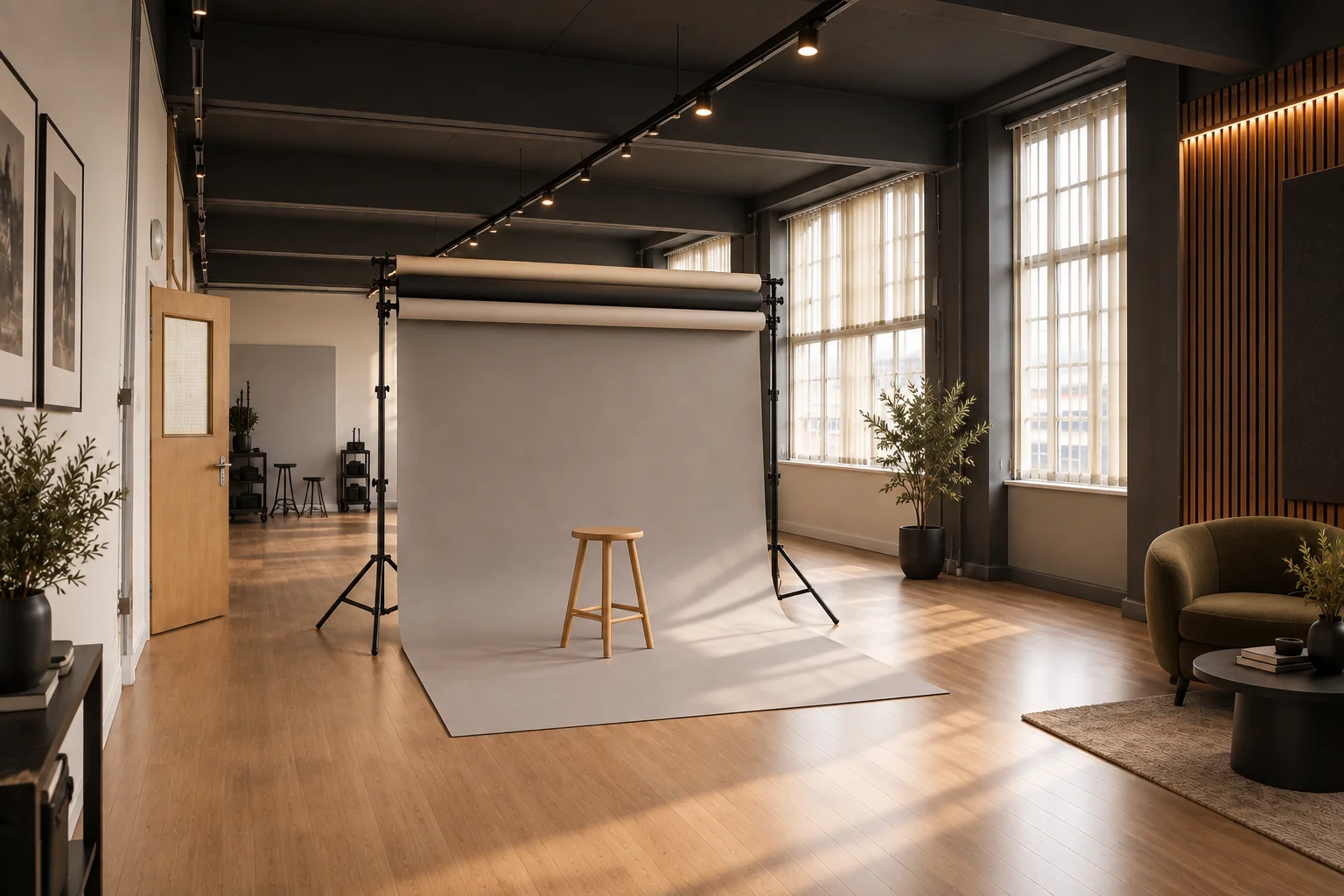
An equipment checklist should begin with the photographs you intend to make. Otherwise it becomes either a long list of unnecessary kit or a short list that misses one essential connection. Hiring a studio changes the working environment, but it does not remove the need to plan the capture system, lighting approach and file workflow. This guide helps photographers and organisers prepare those details, using the confirmed Studio A features at Patmos in Leicester without treating room photographs as an equipment inventory.
Prepare equipment from the brief: capture system, power, storage, required connections and any specialist tools your method needs. Confirm studio provisions and compatibility before deciding what to leave behind. Studio A at Patmos in Leicester offers professional lighting and a backdrop system and is listed from £30 per hour with a two-hour minimum.
How do you turn a creative brief into an equipment list?
For each planned setup, note the subject, framing, movement and final use. A still portrait, a detailed product image and a spoken video place different demands on the capture system. Ask the photographer or operator to identify what is essential for each, then group items shared across the session. This produces a list with a reason behind every entry. It also reveals when one ambitious extra idea requires a substantially different setup that may not fit the available booking time.
Divide the list into confirmed venue provisions, items your team supplies and questions still to resolve. Include the person responsible beside each item. Do not mark an object as provided merely because it appears in a studio image. If a particular model, fitting or size matters, ask about that exact requirement. A general description such as professional lighting is useful for judging the room, but a working photographer still needs enough detail to establish that their planned method will function.
What should you check in the capture system?
Confirm the camera and lens choices with the operator and match them to the intended framing. Check that batteries, chargers and recording media are ready for the planned session. Verify that media can be read by the system you intend to use afterwards, and avoid making an unfamiliar equipment change immediately before an important booking. The goal is a dependable capture process. Carrying a large bag is not a substitute for knowing that the small set of essential items works together.
Where the production uses a computer for viewing or capture, test the actual connection and software workflow beforehand with your own equipment. Identify who supplies the relevant cables and adapters. If you do not intend to use that workflow, decide how essential frames will be reviewed in the room instead. Any spare equipment should be selected for a specific failure it can solve. A backup is useful when the operator can use it confidently and understands how it affects the rest of the setup.
Which lighting and backdrop questions need a precise answer?
Begin with the visual requirement: soft directional portraits, consistent product frames or a controlled video look. The photographer can then ask about the lighting and backdrop arrangements needed to achieve it. At Patmos, Studio A's published features include professional lighting, a backdrop system and a flexible, light-controlled environment. Specific triggers, modifiers, colours or specialist accessories should be confirmed directly when the brief depends on them. Avoid treating a broad feature statement as a promise about every possible configuration.
Share a small reference set and explain the aspect that matters rather than asking whether the studio can reproduce an entire image. Sometimes a simpler arrangement can deliver the required character without additional complexity. Agree the first setup before arrival, then plan changes around groups of related shots. Keep stands, cables and adjustments under the control of the responsible operator, following the venue's instructions. If an arrangement is unfamiliar or unsuitable, ask before modifying it or improvising with items intended for another purpose.
What non-camera preparation belongs on the checklist?
Products and clothing deserve the same attention as the camera. Check that the right variants, sizes and supporting materials are present and in usable condition. Group them by setup and label items that could be confused. Bring the agreed preparation items your team needs, and assign someone to keep track of what has been photographed. An accurate inventory reduces interruptions and helps the photographer concentrate on image-making rather than searching for the next subject.
For portraits, communicate clothing choices and the purpose of the images to subjects in advance. Studio A has a changing and preparation area, but that does not establish that styling or makeup services are part of hire. Arrange any such support separately. Prepare a brief with essential frames, reference notes and the person who can approve the result. These documents are production tools too: a clear decision can save more time than adding another piece of equipment to an already workable setup.
How should you test the workflow during the booking?
Use the beginning of the session to make a representative test image. Review it against the brief for framing, focus, exposure and any important product or clothing detail. Check the intended crop before capturing a whole sequence, especially when the final design needs space around the subject. Ask the authorised reviewer to approve the relevant choices once, then let the photographer work. Repeatedly reopening settled decisions can be more disruptive than taking a little time to make the initial check carefully.
After a significant lighting or backdrop change, repeat the relevant checks rather than assuming the previous settings remain appropriate. Keep notes concise so they support the work instead of becoming a separate administrative task. Include these tests in the schedule along with setup and wrap. Studio A is listed from £30 per hour with a two-hour minimum; the booking window needs to contain the complete workflow, not just the period when subjects are in front of the camera.
Who is responsible for files after the shutter closes?
Agree the file process before the session starts. Identify who keeps the original captures, how selections are made and who performs any editing. If files are handed between people, choose a method they can actually use and define what completion looks like. Do not assume the studio stores, transfers or edits files as part of room hire. The person operating the capture system should understand the plan and allow enough time to finish recording and protect the work before packing away.
Keep selection notes tied to filenames or identifiable groups. Avoid vague approvals such as the good one from earlier, which become unreliable once hundreds of similar frames exist. If the photographer uses a backup process, allow them to complete and check it using their chosen tools. Do not erase original media merely because a transfer appears to have started. A sensible handover makes the next production stage clear and reduces the chance that a successful shoot creates confusion when the team separates.
What should the final pre-booking checklist contain?
Your final list should answer five questions: what must be made, who operates and approves the work, which essential equipment is confirmed, what your team brings, and how much booked time the process needs. Remove unresolved assumptions from the plan by asking specific questions. Keep the document short enough for everyone to read. A concise list that has been checked is more useful than a comprehensive-looking template filled with items irrelevant to this particular shoot.
Explore the Patmos photography service for Studio A's current commercial information, then choose a date and duration that fits the tested workflow. Review the booking total and confirm any specialist requirement before reserving. Studio A and Studio B can operate independently together; The Space blocks Studio A because it uses the main floor. If the project combines activities across rooms, explain that before finalising the schedule. Arrive with an agreed kit list, a clear first setup and time to wrap the work properly.
Useful answers
Questions about planning your booking
Can I rely on every item shown in a studio photograph?
No. Use images to understand the setting, then confirm any item or configuration essential to your brief. Studio A's published features include professional lighting and a backdrop system, but specific compatibility and accessory requirements need a precise answer.
What should I prepare if I am organising rather than photographing?
Prepare the brief, subjects, products, approval route and production schedule. Ask the photographer to own the technical equipment list. Record what the venue confirms and what your team supplies so important tasks are not lost between those responsibilities.
Does equipment preparation change the minimum booking?
Studio A has a two-hour minimum and is listed from £30 per hour. Preparation, tests, capture and wrap should fit inside the chosen window. If your workflow needs longer, select a suitable available duration and review its complete price.